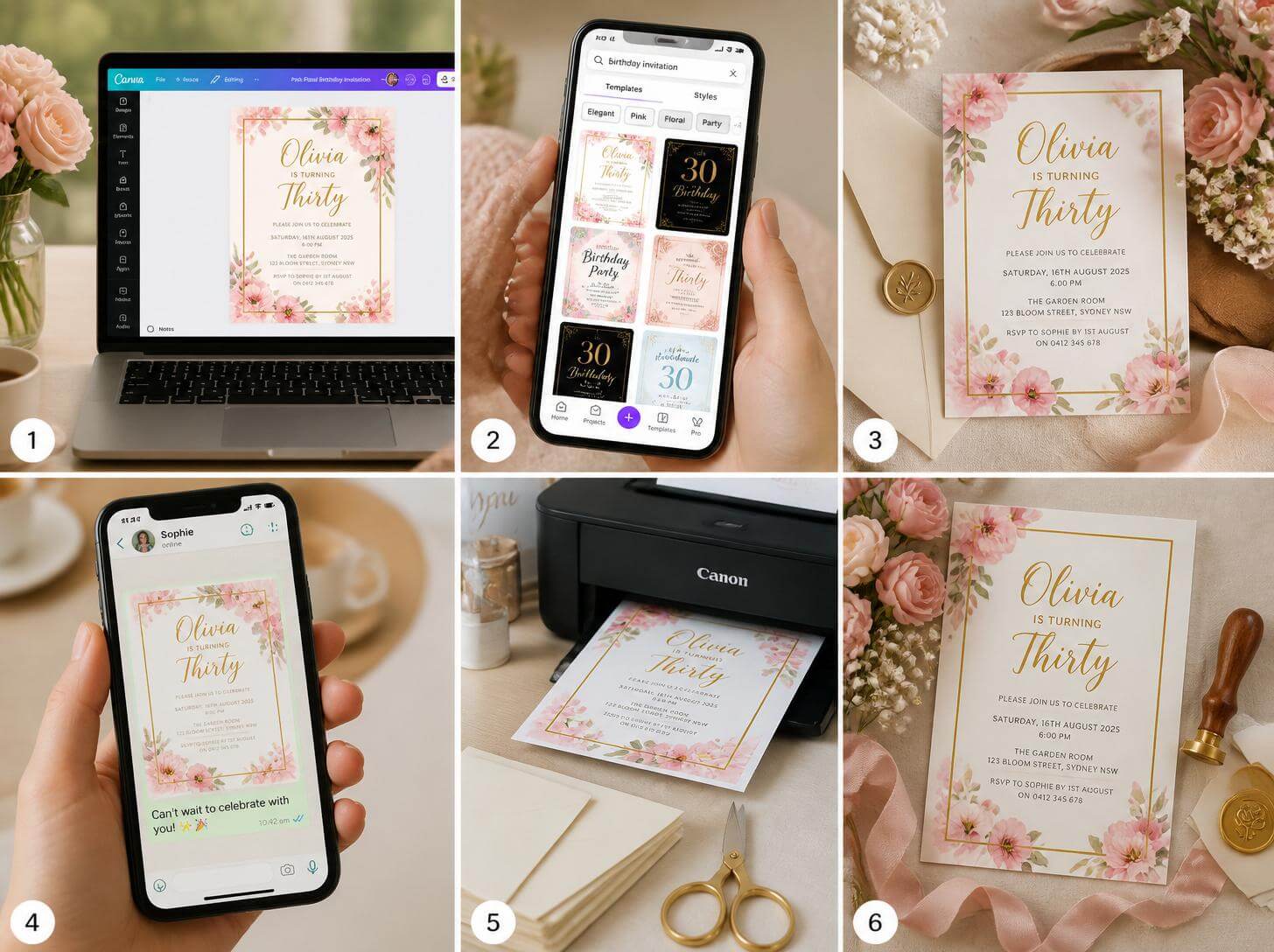
Introduction
Canva has transformed the world of invitation design — making professional-quality, genuinely beautiful invitations accessible to anyone with a phone or laptop and thirty minutes. The platform’s party invitation templates are sophisticated, varied, and fully customizable. And most of them are completely free.
The challenge isn’t finding the tools. The challenge is knowing how to use them — how to choose the right template, customize it to feel personal rather than generic, apply your color palette consistently, choose fonts that work together, and produce a final file that either prints beautifully or shares digitally with maximum impact.
This complete guide will walk you through every step. 💌
🖥️ Setting Up Your Canva Account
- 💻 Create a Free Account at canva.com — completely free — FREE
- 📱 Download the Canva App For mobile editing — FREE
- 🆙 Canva Pro is Not Required Free tier has everything you need — FREE
- 📐 Choose the Right Dimensions 5×7 inches for printed, 1080×1080 for digital — FREE
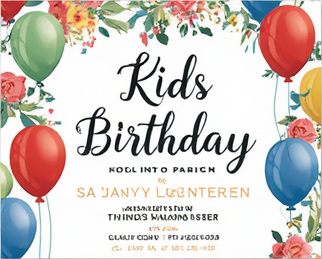
- 🔍 Search “Birthday Invitation” or Occasion Find your template category — FREE
- 🌟 Filter by Free Templates To avoid accidentally choosing paid ones — FREE
- 📋 Browse Before Committing Look at 20+ templates before choosing — FREE
- 📸 Check the Editable Elements Make sure all text and colors can be changed — FREE
🎨 Choosing and Customizing Your Template
- 🎯 Pick a Template That Matches Your Palette Or can be easily changed — FREE
- 🎨 Change All Colors to Your Palette Every element, not just the background — FREE
- 🔤 Choose Two Fonts Maximum One for headings, one for body text — FREE
- 🔤 Pair Serif with Sans-Serif The most reliable combination — FREE
- 📸 Add a Personal Photo Optional but always adds warmth — FREE
- 🖼️ Replace Stock Graphics With ones that match your theme — FREE
- 📋 Update All Text Date, time, location, RSVP — check three times — FREE
- 🌸 Add Botanical Elements Canva has beautiful free botanical graphics — FREE
✍️ Invitation Text Templates
- 🎂 Birthday Invitation Text “Join us to celebrate [Name]’s [Age] birthday…” — FREE
- 👶 Baby Shower Invitation Text “Please join us for a baby shower honoring…” — FREE
- 💍 Bridal Shower Invitation Text “You are invited to celebrate the upcoming marriage of…” — FREE
- 🎓 Graduation Invitation Text “Please join us to celebrate [Name]’s graduation from…” — FREE
- 🎄 Holiday Party Invitation Text “We are delighted to invite you to our annual…” — FREE
- 🥳 General Party Invitation Text “You’re invited! Join [Name] for a celebration of…” — FREE
- 🎊 RSVP Text Formula “Kindly RSVP by [Date] to [contact method]” — FREE
- 🍽️ Dietary RSVP Add-On “Please note any dietary restrictions when RSVPing” — FREE
📤 Saving and Sharing Your Invitation
- 📥 Download as PDF Print For at-home or professional printing — FREE
- 📥 Download as PNG For digital sharing via WhatsApp, email, Instagram — FREE
- 🖨️ Print at Home Best on cardstock, matte or glossy — $0.10-$0.50/sheet
- 🖨️ Print at Office Depot or Staples For larger quantities — $0.25-$1/each
- 📧 Share via Email With the PNG as an image attachment — FREE
- 📱 Share via WhatsApp or Instagram Add to story or send directly — FREE
Conclusion
Canva has removed every barrier between you and a beautiful party invitation. The templates are stunning. The customization is intuitive. The results are professional. And the entire process costs nothing.
The most important ingredient you bring to the design is specificity — the decision to customize every element so the final invitation feels unmistakably like it was designed for this occasion, for this person, for this celebration.
Open Canva. Choose a template. Make it yours. And send it out with the confidence that the first impression of your party is as beautiful as everything that follows. 💌